

When people need a plumber, a solicitor, an accountant or a builder, many of them don’t type a website address. They open Google, search “near me”, and look at the map. The handful of businesses pinned there get most of the calls, direction requests and website visits.
So if you search for your own business and can’t find it, or it only appears when you type its exact name, it’s frustrating. You know you’re there, you know you’re good at what you do, but nearby customers are being sent to someone else.
The most common reasons a business isn’t showing up on Google Maps are an unverified Google Business Profile, incomplete or inconsistent business information, the wrong business category, a listing that is too new, too few reviews, and a website that doesn’t back up the listing. Google also shows different results depending on where the searcher is.
Most of these can be fixed. This guide works through each reason in plain English, explains what you can do about it, and finishes with a checklist you can work through this week. If you’ve been wondering why your business isn’t showing up on Google Maps, start at the top and tick things off as you go.
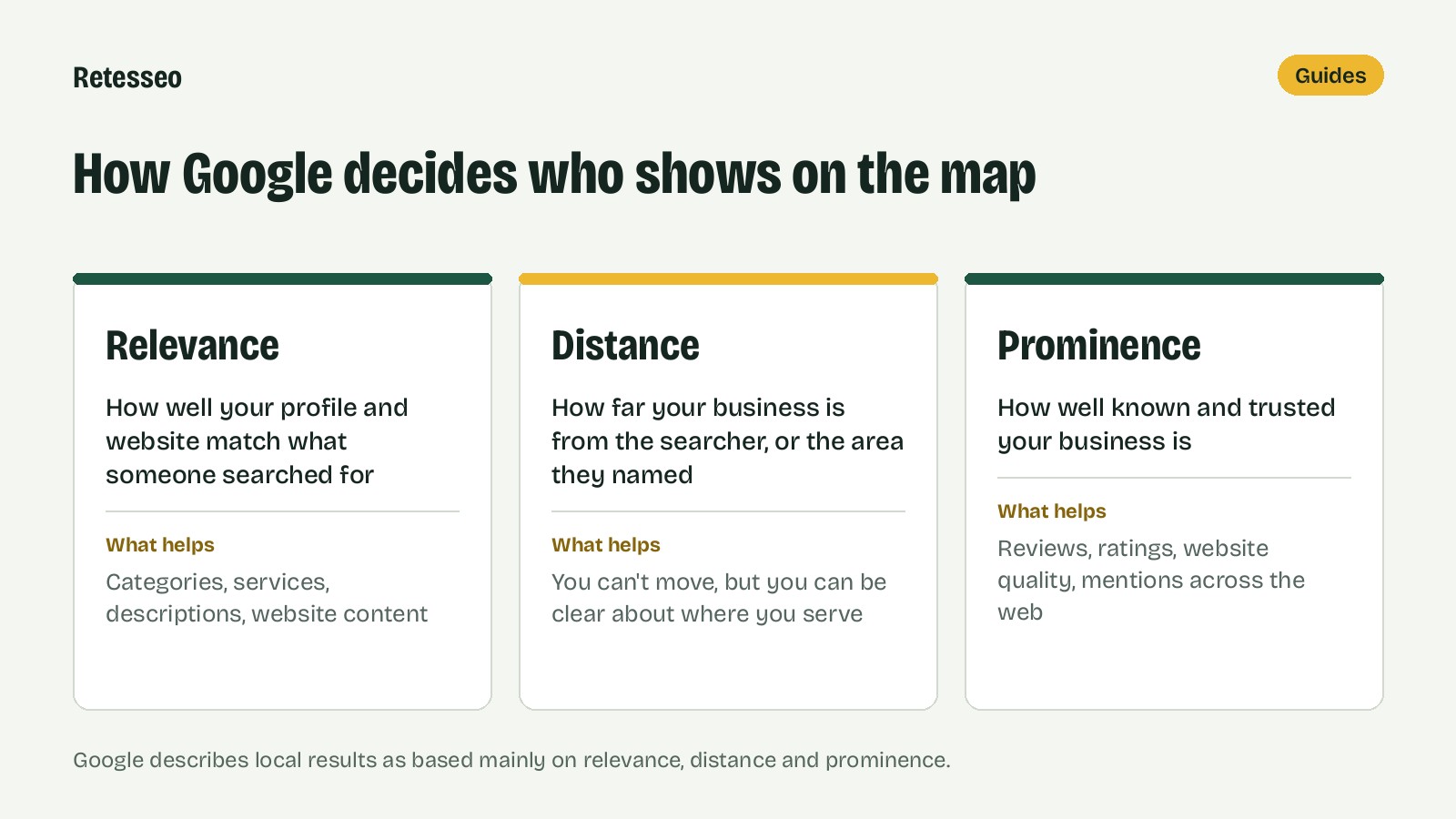
Before the list, it helps to know how Google decides. For local searches it looks at three things: relevance (how well your business matches the search), distance (how close you are to the searcher or the area they typed) and prominence (how well known and trusted your business is). Every fix below improves one of these.
1. Your Google Business Profile Has Not Been Verified
Your Google Business Profile (once called Google My Business) is the free listing that powers your appearance on Google Maps and in the local results on Google Search. Creating one isn’t enough: Google needs to verify it, which means confirming that the business is real and that you’re entitled to manage it.
Verification exists to stop people creating fake listings or taking over someone else’s. Until it’s done, your profile may not show at all, or edits you make won’t go live.
How to verify your Google Business Profile
- Sign in at business.google.com with the Google account you want to manage the business from (ideally a business account, not a personal one).
- Search for your business. If it already exists, request access; if not, choose to add your business to Google Maps.
- Enter your business name, category, address or service area, phone number and website.
- Choose a verification method. Google decides which are available; common options are a short video showing your premises, signage and proof of management, a phone call or text, an email, or a postcard with a code.
- Complete the steps and wait for confirmation. Some verifications are instant; reviewed ones can take several working days.
Practical tip: if you’re recording a video, show the street outside, your signage or branded vehicle, and something only the owner can access, such as the till, tools or office. Unclear videos are a common reason verification gets rejected.
2. Your Business Information Is Incorrect or Incomplete
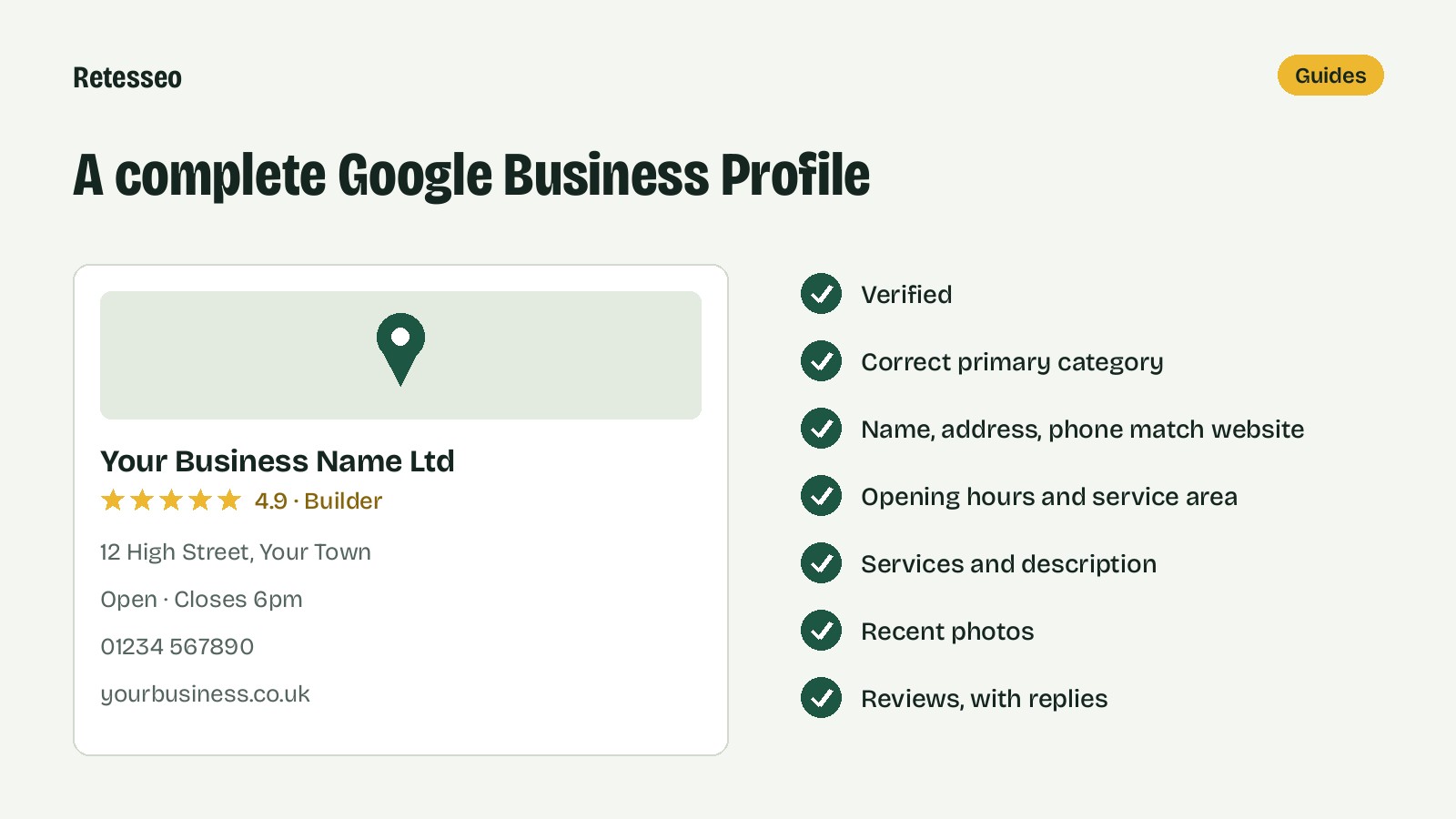
Google can only show your business for searches it understands you’re relevant to, and customers only call if they trust what they see. Check every field:
- Business name: use your real-world name exactly as it appears on your signage and paperwork. Don’t add keywords or locations (“Smith Plumbing | Emergency Plumber London”). It breaks Google’s guidelines and can get a profile suspended.
- Address or service area: if customers visit you, show your address. If you travel to customers (most trades), set a service area and hide the address.
- Phone number: a local number you answer during opening hours.
- Opening hours: accurate, including bank holidays. A listing that says “open” when you’re closed costs trust.
- Services and description: list each service you offer in the words customers use, and write a plain description of who you help and where.
- Website link: point it to your home page or the most relevant location page.
Just as important is consistency. Your name, address and phone number should match everywhere they appear: your website, Google, Facebook, directories such as Yell, and industry listings. Mismatches, such as an old address on one site, make it harder for Google to be confident which details are right.
3. Your Business Category Is Wrong
Your business category is one of the strongest signals Google uses to decide which searches you appear for. You choose one primary category and can add several secondary ones.
Pick the most specific primary category that describes your main service, then add secondary categories for other things you genuinely do:
| Business | Too vague | Better primary category | Possible secondary categories |
|---|---|---|---|
| Family law firm | Lawyer | Family law attorney | Divorce lawyer, Legal services |
| Loft conversion company | Construction company | Loft conversion specialist (or Builder) | General contractor, Home improvement |
| Lettings agency | Real estate agency | Letting agent | Property management company, Estate agent |
Look at the businesses that already appear for your main search and note their categories. Don’t add categories for services you don’t really offer; it won’t help, and it may confuse customers.
4. Your Business Is Too New
If you’ve only just created or verified your profile, give it time. New listings may take anything from a few days to a few weeks to appear consistently, and early on you may only show up when someone types your exact business name.
That’s because Google needs signals before it’s comfortable showing a business to strangers: a complete profile, a website, reviews, photos and other mentions online. In the meantime:
- Fill in every part of your profile and add good photos
- Ask your first customers for reviews
- Make sure your website shows the same name, address and phone number
- List your business on a few reputable directories in your industry
How long does it take for my business to appear on Google? Searching your exact name usually works within days of verification. Ranking for competitive searches such as “electrician near me” takes longer, typically months rather than weeks, and depends on everything else in this guide.
5. Your Website Does Not Support Your Google Maps Listing
Your Google Maps listing and your website work together. Google reads your site to understand what you do and where, and customers visit it before deciding whether to call. A thin one-page site, or no website at all, holds the listing back.
A local business website that supports your listing should have:
- Clear service pages: one page per main service, explaining what it is, who it’s for and what happens next
- Location information: the towns and areas you cover, and your address if customers visit
- Contact details: name, address and phone number matching your Google profile exactly, usually in the footer
- Local keywords: natural wording like “kitchen fitter in Guildford” in page titles, headings and copy
- Mobile-friendly design: fast, easy to read on a phone, with a tap-to-call button
If your site needs work, our web design & development team builds sites around exactly this, and our guide to website development costs explains what to budget.
6. You Do Not Have Enough Google Reviews
Google reviews help in two ways. They give customers confidence to pick you, and they’re part of how Google judges prominence. A business with a steady stream of genuine, recent reviews generally looks more trustworthy to both.
How to get more Google reviews
- Ask every happy customer. The best time is just after the job is finished or the case is closed.
- Make it easy. Copy the “Ask for reviews” link from your Business Profile and send it by text or email, or print it as a QR code.
- Respond to every review, good or bad, politely and professionally. A calm reply to a negative review often reassures future customers more than the review worries them.
- Keep it consistent. A few reviews every month looks healthier than twenty in one week and then nothing.
Never buy reviews, offer rewards for them, or write them yourself. It’s against Google’s policies and can lead to reviews being removed or the profile being restricted.
How many Google reviews do I need? There’s no magic number. A useful guide is to look at the businesses currently appearing for your main search and aim to match them over time, while keeping your reviews recent.
7. Your Competitors Have Stronger Local Visibility
Sometimes your business is on Google Maps, just not near the top. If you’re asking “why is my competitor showing before me?”, the answer usually comes down to a combination of:
- More, and more recent, customer reviews
- A better website with dedicated service and location pages
- A more complete profile with photos, services, posts and accurate hours
- Stronger local signals, such as mentions in local directories, news sites and trade associations
- Being closer to where most people are searching
You won’t always be able to overtake a long-established competitor quickly, especially on distance. But most businesses can close the gap on the things they control, and that’s often enough to appear in the top results for more searches.
8. Your Business Location Affects Results
Google Maps results are personal to where the searcher is. Someone searching “builder near me” in Clapham will see different builders from someone in Croydon, even though they typed the same words. The same applies when you check your own ranking: from your office you may appear first, while a customer two miles away doesn’t see you at all.
You can’t change where you’re based, and you shouldn’t use a fake address to appear somewhere else; Google removes listings that do. What you can do is:
- Set an accurate service area covering the places you really work
- Create helpful pages on your website for the main towns or areas you serve
- Strengthen relevance and prominence, which can help you appear for searches further away
Tip: to see what customers see, search on a phone from the area you’re targeting, or ask someone there to check for you.
9. Your Website Has Weak Local SEO
Local SEO is the work that helps Google understand what you do, where you operate and who you serve. For local SEO for small businesses, the essentials are:
- Local pages: a page for each main service area, with genuinely useful content about your work there, not the same text with the town name swapped
- Relevant content: answers to the questions customers ask, project examples, prices or price guides where possible
- Internal links: service pages linking to related location pages and back, so visitors and Google can find everything
- Technical improvements: fast loading, secure (https), mobile-friendly, and no broken pages
Add LocalBusiness schema to your website
Schema markup is a short piece of code that tells search engines your business details in a format they can read reliably. For local businesses, Google recommends LocalBusiness structured data (or a more specific type such as Plumber, LegalService or RealEstateAgent). Include the same name, address, phone number and hours as your Business Profile. A simplified example:
{
  "@context": "https://schema.org",
  "@type": "LocalBusiness",
  "name": "Your Business Name Ltd",
  "url": "https://yourbusiness.co.uk/",
  "telephone": "+44 1234 567890",
  "address": {
    "@type": "PostalAddress",
    "streetAddress": "12 High Street",
    "addressLocality": "Your Town",
    "postalCode": "AB1 2CD",
    "addressCountry": "GB"
  },
  "openingHours": "Mo-Fr 08:00-18:00",
  "areaServed": [
    "Your Town",
    "Nearby Town"
  ]
}
Schema won’t push you up the map on its own, but it removes guesswork and supports everything else. Most website platforms and SEO plugins can add it for you. Our digital marketing and SEO service covers local, technical and on-page SEO together.
10. Your Business Does Not Have Enough Online Trust Signals
Google wants to send people to businesses they’ll be happy with, so it looks for signs that a business is established and trustworthy. Customers look for the same things. The main trust signals are:
- Reviews: genuine, recent and responded to
- Website quality: professional, up to date, with real photos and clear information
- Consistent information: the same name, address and phone number everywhere
- Professional branding: a recognisable logo, name and style across your profile, website and social media
- Online mentions: listings in reputable directories, trade bodies, local news or partner websites
None of these is a quick trick. Together they build the reputation that helps a business get found locally and win the customer once it is.
11. Google Has Not Updated Your Changes Yet
If you’ve recently changed your profile, your changes may not be live yet. Edits to your Google Business Profile can take a few days to appear, and some are reviewed by Google first. Changes to your website take time too, because Google needs to revisit and re-read the pages.
If an edit shows as “pending” or “under review”, wait rather than making repeated changes, which can restart the review. If something still hasn’t updated after a couple of weeks, the Google Business Profile help centre lets you contact support directly.
Google Maps Visibility Checklist
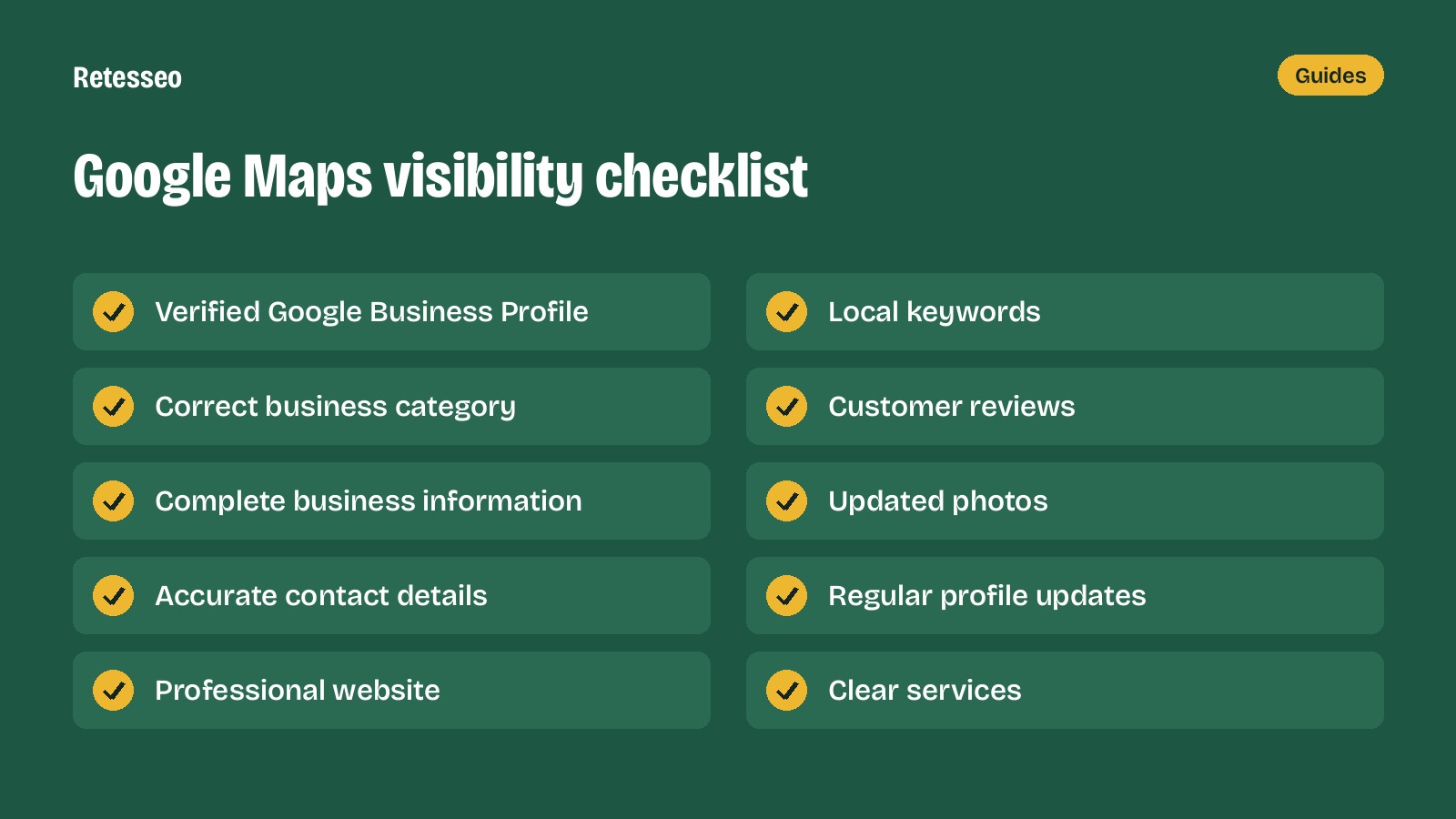
Use this checklist to see where your business stands. Each item makes it easier for customers to find you and easier for Google to show you:
- ✓ Verified Google Business Profile
- ✓ Correct business category
- ✓ Complete business information
- ✓ Accurate contact details
- ✓ Professional website
- ✓ Local keywords
- ✓ Customer reviews
- ✓ Updated photos
- ✓ Regular profile updates
- ✓ Clear services
How Retesseo Helps Businesses Get Found Online
At Retesseo we help local businesses improve their online presence and turn it into calls and enquiries. Depending on what’s holding you back, that can include:
- Website optimisation: clearer service and location pages, faster loading and stronger calls to action
- Local SEO: on-page, technical and local improvements, including schema and consistent business details
- Google Business Profile support: setting up, verifying, categorising and keeping your profile active
- Content strategy: pages and articles that answer what your customers are searching for
- Digital marketing: including Google Ads when you need enquiries while organic visibility builds
- Analytics and insights: tracking calls, forms and direction requests so you can see what’s working
No one can honestly guarantee a top position on Google Maps, and we won’t. What we can do is find the specific gaps in your profile and website, fix them in the right order, and show you the results. See our digital marketing services, or ask for a free audit.
Frequently Asked Questions
Why can’t I find my business on Google Maps?
The most common reasons are that your Google Business Profile isn’t verified, your information is incomplete or inconsistent, you’ve chosen the wrong category, the listing is very new, or you have few reviews. Google also shows results based on the searcher’s location, so you may appear in one area but not another.
How do I get my business on Google Maps?
Create a free Google Business Profile at business.google.com, add your business name, category, address or service area, phone number and website, then complete verification. Once verified, fill in every section, add photos and ask customers for reviews.
How long does Google Maps take to show my business?
After verification, a business usually appears for searches of its exact name within a few days, though it can take a few weeks. Ranking for broader searches such as “plumber near me” usually takes months and depends on reviews, website quality and competition.
Does my website affect Google Maps ranking?
Yes. Google uses your website to understand what you do and where you work, and a strong, consistent website supports your listing. Clear service pages, location information, matching contact details and a mobile-friendly design all help.
Do Google reviews help businesses rank?
Reviews are part of how Google judges how well known and trusted a business is, so a steady flow of genuine, recent reviews can help. They also make customers more likely to choose you once they see your listing.
Is Google Business Profile free?
Yes. Creating, verifying and managing a Google Business Profile is free. You only pay if you choose to run Google Ads or hire someone to manage the profile for you.
How can I get more customers from Google?
Verify and complete your Google Business Profile, build a website with clear service and location pages, collect reviews, and keep your information consistent online. For faster results, Google Ads can put you in front of people searching for your services while your organic visibility grows.
Conclusion: Make It Easy for Google, and Customers, to Find You
If your business isn’t showing up on Google Maps, there’s almost always a reason, and usually more than one. Start with the basics: a verified, complete profile with the right category and accurate details. Then build the things that take longer: reviews, a website that supports your listing, and consistent local signals.
Work through the checklist above and you’ll understand exactly where you stand and what to do next. If you’d rather have someone do it with you, contact Retesseo to talk about getting your business found by more local customers.